Moderation and anti-cheat
Bans
/ban <player> [reason]                permanent
/tempban <player> <duration> [reason] 7d, 12h, 30m
/ipban <player|address> [reason]      the address, and everyone on it
/tempipban <player|address> <duration> [reason]
/unban <player>      /unbanip <address>
/banlist [page]      /checkban <player>
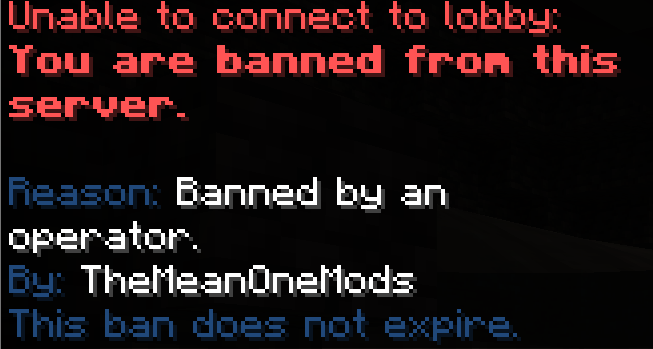
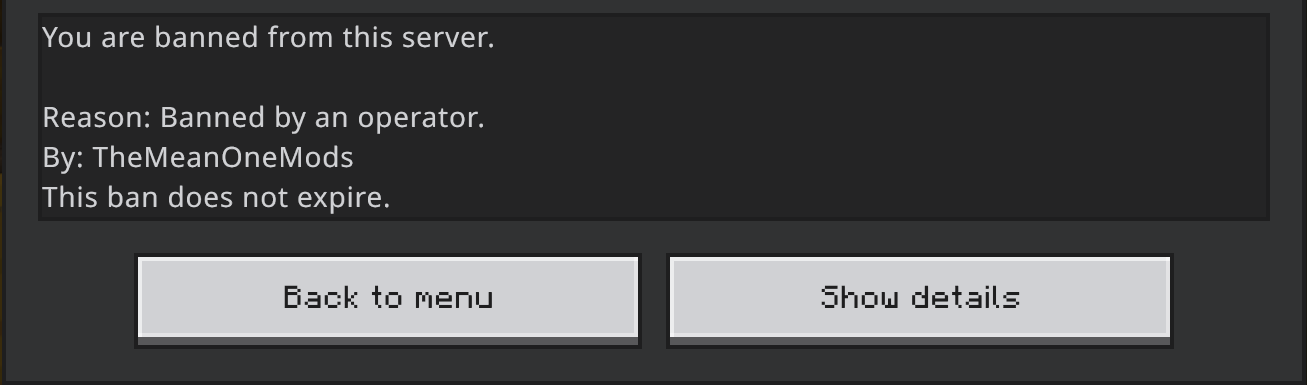
A banned player is turned away before they exist on the server: no join
message, no slot taken, a screen with the reason, who did it, how long is
left and - if bans.appeal is set - where to appeal. On a network with the
shared database, a ban made anywhere holds everywhere.
Tempban length is capped per rank with emberessentials.ban.max.<duration>
(for example emberessentials.ban.max.7d), so a helper can hand out a day
and a moderator a month without either being able to make somebody vanish
for good. emberessentials.ban.permanent lifts the cap;
emberessentials.ban.exempt cannot be banned by the command;
emberessentials.ban.notify is told when bans are made or lifted.
Command spy
/commandspy shows you the commands other players run, the way social spy
shows private messages. command-spy.ignore in the config lists the
everyday commands left out so the feed stays readable; staff with
emberessentials.commandspy.exempt are never shown.
Inventory snapshots
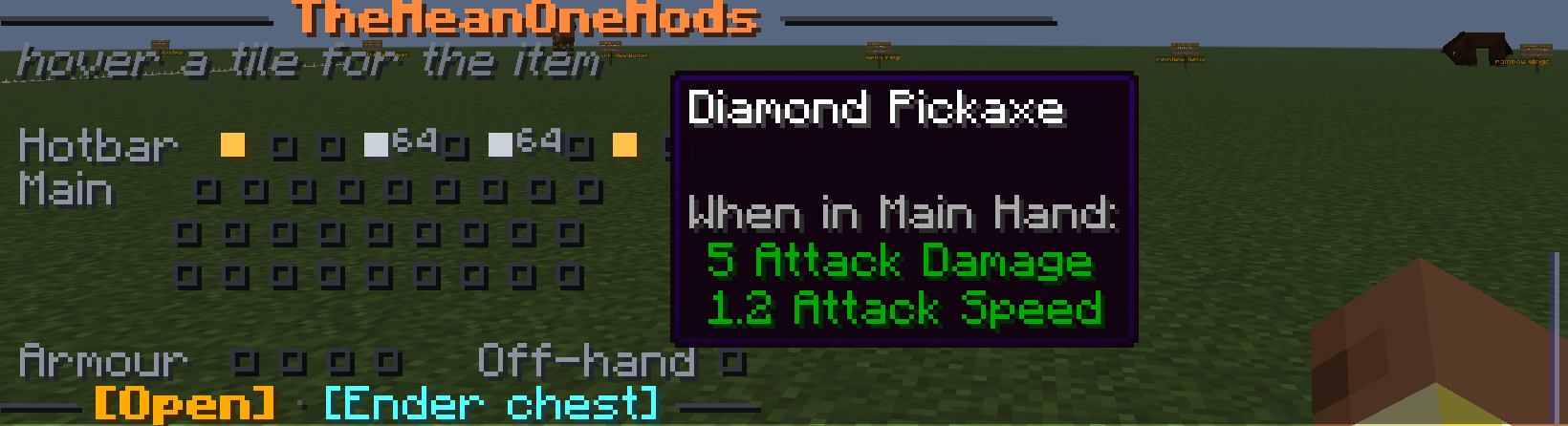
/invsave <player> [name]     take a snapshot now
/invsaves <player>           list them, each a button to restore
/invload <player> <name>     restore one - the current inventory is saved first
/invdelete <player> <name>
Snapshots are also taken automatically on death (inventory-saves.on-death),
keeping the last few (keep), so a rollback after a bug or a scam is one
click in the list rather than an argument. Items are stored byte-exact, so
what comes back is what was there. Snapshots stay on the server they were
taken on; an inventory is one server's items at one moment.
The moderation screen
Everything a moderator reaches for, on one screen: chat lock, slow mode, wipe chat, the filters, players, jails, the watchdog, social spy, staff requests and vanish.
It is separate from /emberadmin because the jobs are different. An owner
configures a server; a moderator handles what is happening in it right now,
usually in a hurry and usually while something is going wrong. Making them hunt
past tiles about holograms and portals to find the chat lock is how an incident
gets worse.
emberessentials.moderation opens it, and it is worth giving to staff who
should not have emberessentials.admin.
The watchdog
Four checks, all of them heuristics, none of them proof.
| Check | What it notices |
|---|---|
| Illegal items | Enchantments over the limit, impossible stacks, oversized names and books |
| Fast breaking | Blocks broken faster than a player can |
| Mining ratio | Ore against stone over a long window |
| Shared addresses | Several accounts from one address |
Open the screen with the Watchdog tile in /emberadmin, or:
The screen
Settings and alerts are on one screen deliberately. A list of alerts without the settings beside it leads staff to trust a check that is switched off, and settings without the alerts give no sense of whether a threshold is set anywhere near right.
Each check is a tile you can click to turn on or off. That is saved immediately rather than on shutdown - a staff member who turns off a noisy check during an incident and then sees the server crash should not find it back on afterwards.
Alerts are shown as the faces of whoever tripped them, newest first, and clicking one takes you to that player.
What it will not do
Nothing here bans anybody. These are heuristics. A mining ratio flags an unlucky caver as readily as a cheat, and a screen that offered a ban button next to one would get innocent people banned. The honest response to almost every alert is to go and look, which is why clicking one does exactly that.
Alerts go to a permission (emberessentials.watchdog.alerts) rather than to
operators, so moderators can have them without having everything else.
Alerts are kept in memory only and are cleared by a restart.
Jails
A jailed player is held in the jail's box and released automatically when their time runs out, including if that happens while they are offline.
Chat moderation
Covered in Chat: channels, the profanity filter, anti-advertising, caps and spam limits, chat lock and slow mode.
Vanish
Hides you from the player list, from /list, and from mob targeting.
emberessentials.vanish.see lets staff see each other while vanished.
In pictures
What it looks like in game. Every shot is from a live server, unedited apart from cropping.