Enchanting
There are three ways to put an enchant on an item. They all end in the same place - the enchant stored on the item itself - so use whichever suits.
The /ember menu
/ember → Enchant an Item. Drop the item in the centre slot and every
enchant that fits it appears around it, eight to a page. Click a book to
attempt it. Each attempt costs XP levels and rolls against the enchant's
success rate; a failure costs the XP and leaves the item as it was.
The menu shows everything that fits, at any rarity. It is the fastest way to get a specific enchant onto a specific item.
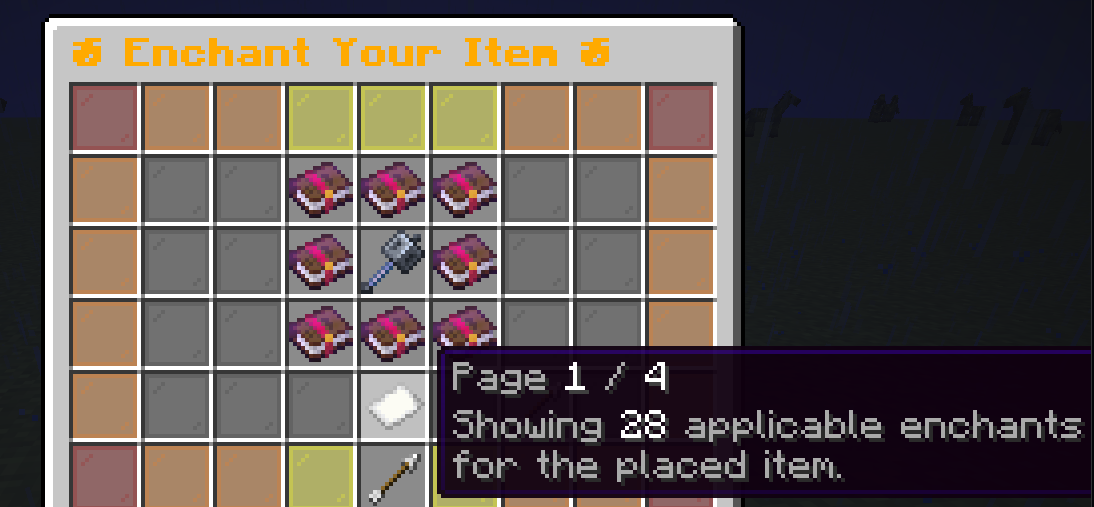
Placing an item, paging through what fits it, and applying one.
The enchanting table
Place a vanilla enchanting table and use it as normal. The plugin takes over the window: vanilla offers on the left, custom offers on the right, three of each.
Bookshelves matter. They do not gate what can appear - every enchant that fits the item is possible on a bare table - but they steer the odds. A table with no shelves mostly turns up Uncommon and Rare offers; a fully surrounded one turns up Epic and Legendary ones. The XP cost by rarity is the brake on getting lucky early.
| Shelves | Offers lean toward |
|---|---|
| 0-5 | Uncommon |
| 6-10 | Rare |
| 11-14 | Epic |
| 15 | Legendary |
Offers are re-rolled every time you place an item.
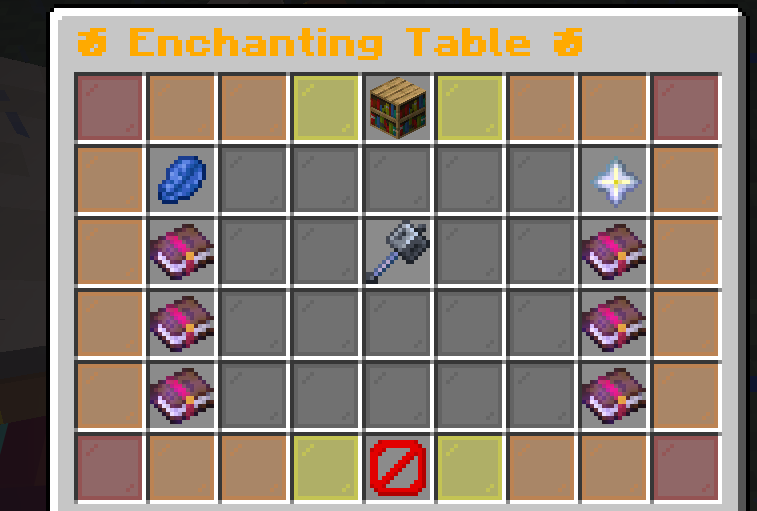
The redesigned table. Vanilla on the left, Ember on the right.
Anvils
Put the item on the left and an enchant book on the right, exactly like a vanilla enchanted book. The book applies if the enchant fits the item and does not clash with one already on it; otherwise the anvil shows nothing. Two items that both carry enchants can be combined the same way.
Enchant books come from the shop, from /ember give, and
occasionally from fishing.
What fits what
Item types are read from the server's own material list, not a fixed one in the plugin. That is why copper tools and armour take enchants the day the server has them, and why the same jar behaves correctly from 1.21 to 26.2.