The admin panel
One screen that says what the server is doing and opens everything that manages it.
What is on it
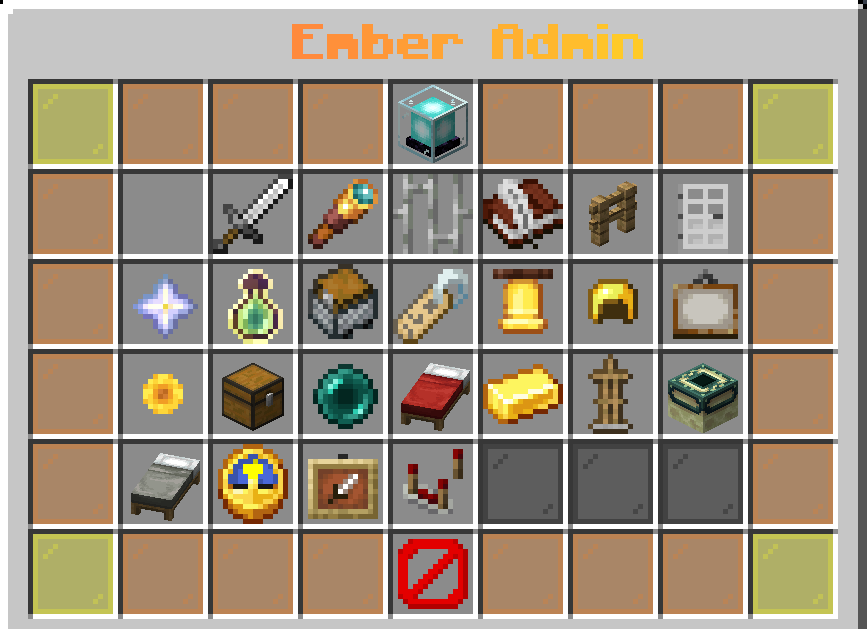
Every tile is a system the plugin actually runs, and each carries its own live count rather than a static label. A panel that says "Claims" tells you nothing; one that says "412 chunks" tells you whether anybody is using the feature.
| Group | Tiles |
|---|---|
| People | Players, Watchdog, Jails, Chat, Claims, Restricted zones, Ranks and perks |
| What the server does on its own | Server events, Giveaways, Redeem codes, Server messages, Leaderboards, Server list entry, Store announcements |
| Content | Kits, Warps, Spawn and homes, Economy, Holograms, Portals, AFK zones |
| The plugin | Time and weather, Tab and sidebar, Reload |
The header tile shows players online, uptime, memory, world count, and any events currently running with the time left on each.
Getting there
emberessentials.admin opens it. That node is also the parent of every
emberessentials.admin.* permission, so giving it hands over the admin
commands as well - which is usually what you want, and worth knowing if it is
not.
Reload
The Reload tile re-reads every config in the plugin without a restart: kits, chat, display layouts, broadcasts, perks, events, zones, leaderboards and the rest.
It does not reload other plugins, and it does not reload anything that only applies at startup. When something is not taking effect, a restart is still the answer.
Settings
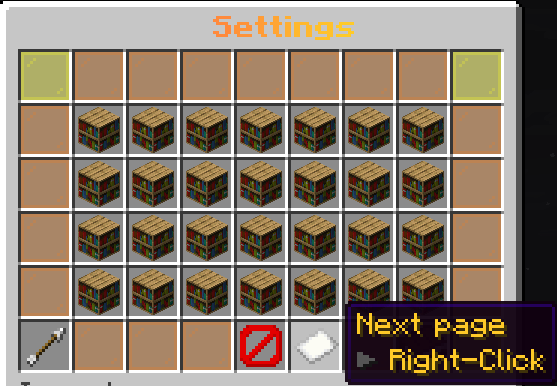
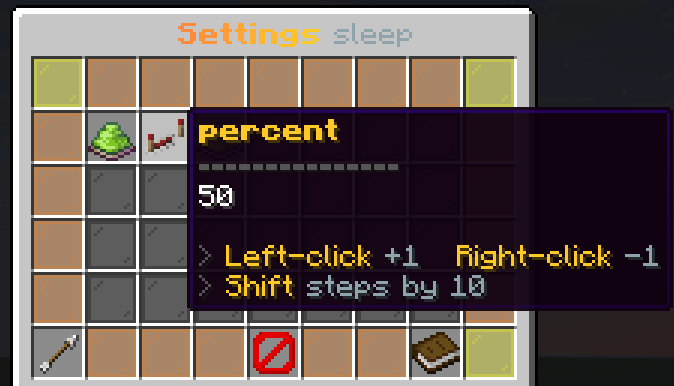
Every option in config.yml is also on a screen. Open Settings from the admin panel, or type /essentials settings.
- Sections open as further screens. A section with an
enabledswitch shows whether it is on. - Switches flip on a click. Numbers step with left-click (+1) and right-click (-1); hold shift to step by 10.
- Text and lists are typed: click the tile and an
[Edit]button puts the command in your chat box with the current value already there. List entries are separated with|.
Each change is written to config.yml straight away and the feature re-reads it, so the file, the screen and the server always agree. The same thing from the console or a command block:
/essentials get sleep.percent
/essentials set sleep.percent 75
/essentials set greetings.join-message <gold>%player% joined
/essentials set command-spy.ignored /login | /register
A key the file does not have is refused, so a typo cannot create a setting nothing reads.
Updating
When a new build adds a section the file lacks, the plugin appends that section, comments and all, to the end of config.yml on start-up and says so in the console. Your own values, order and comments are never touched.
The screens behind it
Several tiles open a screen of their own rather than running a command:
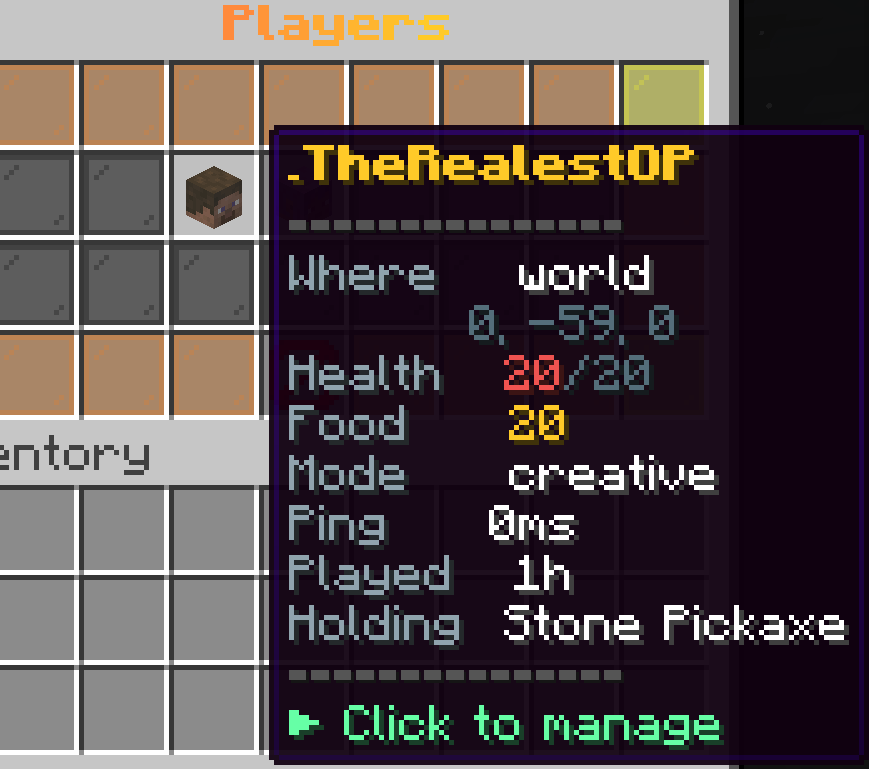
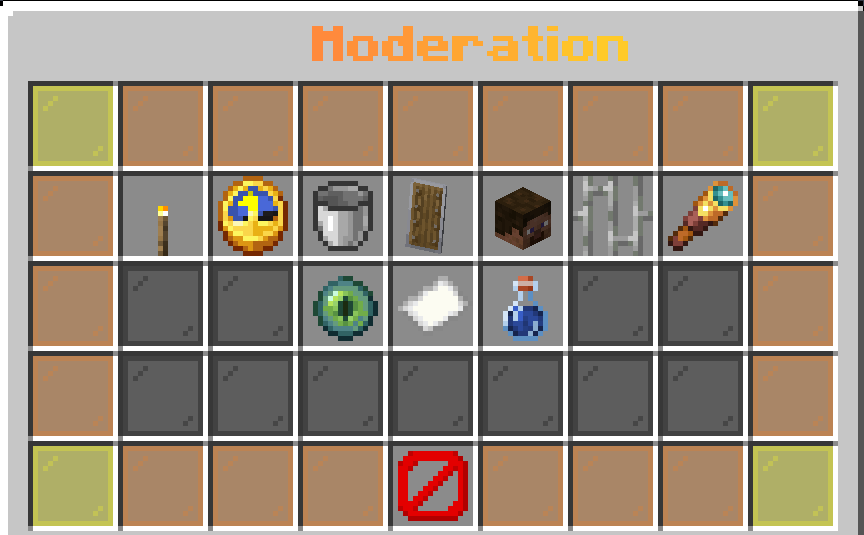
- Players - every online player, with inspect, teleport, heal, mute, kick and ban
- Watchdog - the anti-cheat screen
- Chat - lock, slow mode, the filters
- Server events - start and stop events
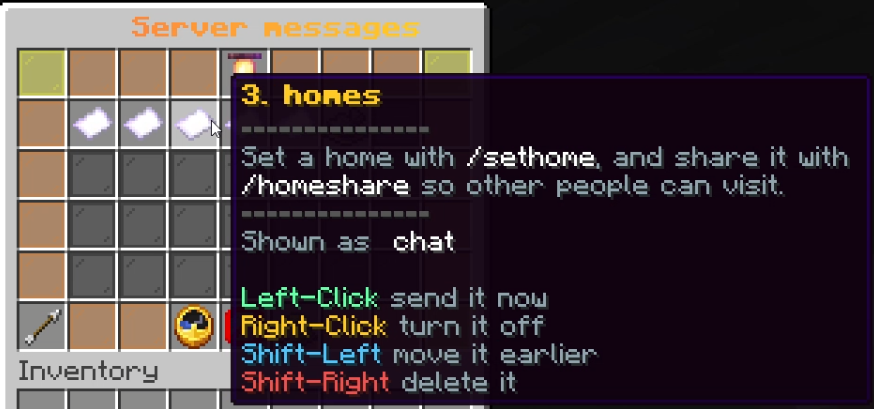
- Server messages - edit, reorder and send the rotating broadcasts
- Leaderboards - the boards, as walls of faces
- Tab and sidebar - edit every line of both, without a restart
- Time and weather - set the time and clear the sky
Ranks
Ranks are LuckPerms groups, and the ladder in config.yml is the source of
truth for them. Every enabled rank exists as a group with the prefix and
weight written there; the plugin creates any that are missing at startup and
sets those two values, and touches nothing else in LuckPerms.
ranks:
  sync-luckperms: true      # keep the groups in step with this file
  default: member           # what a first-time player starts on
  vip:
    enabled: true
    name: "VIP"
    colour: "#ffca28"
    tag: "★ VIP"
    order: 2
The ladder ships enabled: member, VIP, MVP, Legend for players, then Helper, Moderator, Admin, Owner for staff. Rename, recolour or remove any of them.
Giving somebody a rank is a click: open the admin panel, choose the player, press Rank, and pick one. The old rank is taken away and the new one given in the same action, so a promotion is one step. New players get the default rank the first time they join.
Without LuckPerms the ladder still drives the greeting and the perks screen, but nothing can be assigned - there is nowhere to write it.
In pictures
What it looks like in game. Every shot is from a live server, unedited apart from cropping.